Design Reviews That Live in Jira
Seamlessly integrate visual design feedback into your Jira workflow. Create reviews, add precise annotations, and track approvals—all without context switching.
Seamless Collaboration, Designed for Speed
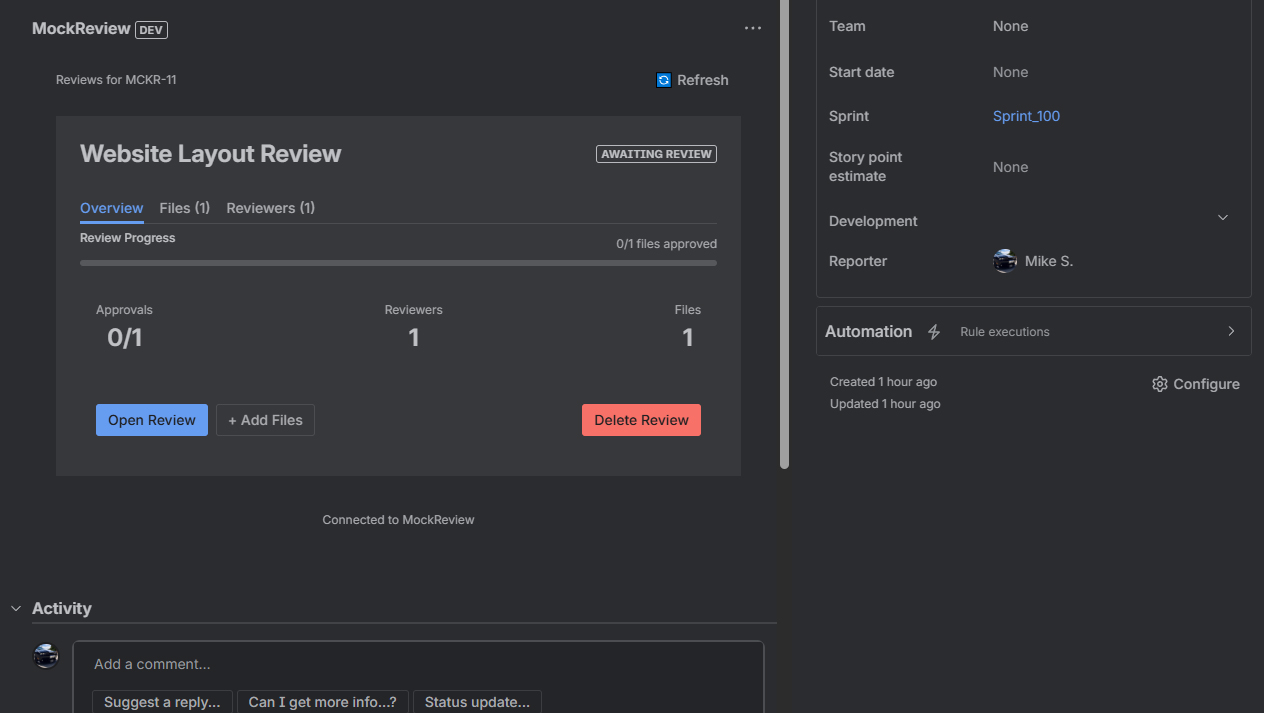
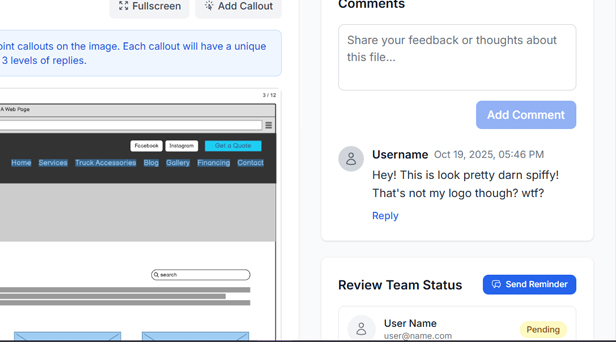
Make collaborating on designs intuitive, clear, and fast. Give feedback with precise visual annotations (callouts) that eliminate confusion.
Automatic Review Requests
Create design review requests directly from your Jira issues with a single click.
Real-time Updates
Get instant notifications in Jira when comments are added, files are approved, or changes are requested.
Seamless Collaboration
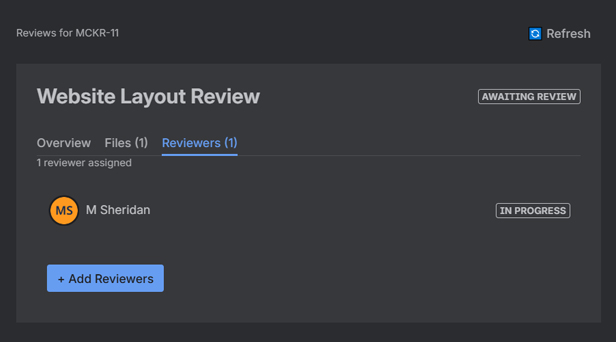
Add Jira users as reviewers without requiring them to create a MockReview account.
Two-way Sync
All review activity syncs back to Jira, keeping your team in the loop.
Smart Notifications
Comments, approvals, and change requests are posted directly to your Jira issues.
No Extra Logins
Reviewers can participate directly from Jira without switching contexts.
Why Visual Annotations Matter
Saying "the button looks off" isn't helpful. With MockReview's callouts, you can click exactly where the issue is, add context, and show—not tell—what needs to change.
Precision
Pin comments to exact pixels, not vague descriptions
Clarity
Visual context eliminates misunderstandings
Speed
Reduce back-and-forth by 50% or more
How It Works
Get up and running in minutes
Install the App
Install MockReview from the Atlassian Marketplace with one click
Connect Your Account
Link your MockReview account to enable two-way sync
Create Reviews
Click "Create Review Request" from any Jira issue
Collaborate
Get real-time updates in Jira as your team reviews
Perfect for Every Team
See how teams use MockReview with Jira
Product Managers
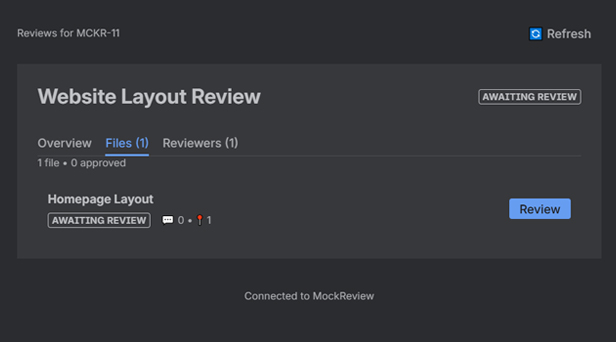
Attach design mockups to user stories and get immediate feedback from stakeholders without leaving Jira.
Example: Track design approval alongside development progress with clear visibility into review status and faster stakeholder sign-off.
Marketing Teams
Review campaign assets, landing pages, and social media designs with precise annotations and approval workflows.
Example: Centralized feedback from multiple stakeholders with version control and clear approval trails for compliance.
Game Design Teams
Review UI/UX designs, character art, and level layouts with your development team directly in Jira tickets.
Example: Get visual feedback on game assets, iterate faster on designs, and keep art and code in sync throughout development.
Web Development Teams
Review wireframes, high-fidelity mockups, and final designs before implementation begins.
Example: Catch design issues before development starts with clear handoff from design to development, reducing rework and scope creep.
Why Teams Love MockReview for Jira
- Save Time: No more switching between tools or copying links
- Stay Organized: All review activity tracked in your issues
- Reduce Friction: Reviewers participate without extra logins
- Improve Visibility: Real-time notifications keep everyone informed
Free to Try, Easy to Scale
The Jira integration is included with all MockReview plans. Start with our free tier and upgrade as your team grows.
Ready to Transform Your Design Review Process?
Join teams already using MockReview to streamline their Jira workflow.
No credit card required • 14-day free trial • Cancel anytime